Published 10th Dec 2025 By Jordan Wilson
Laravel Model Observers Guide: Database Events Made Simple
Technical Depth: 60% Intermediate, 30% Beginner, 10% Advanced – Starts with business context, includes practical code examples, covers advanced patterns for experienced developers
Summarise with
Managing database events in Laravel applications can quickly become messy when business logic scatters across controllers and models. Laravel Model Observers provide an elegant solution, allowing you to centralise event handling and keep your codebase organised. Whether you need to log user activities, send notifications, or update related records, observers ensure your database events are handled consistently and maintainably.
This comprehensive guide explores Laravel Model Observers, comparing them with alternative approaches like model boot methods and event listeners. You’ll learn when to use each technique and discover practical implementations that solve real-world business challenges.
What Are Laravel Model Observers?
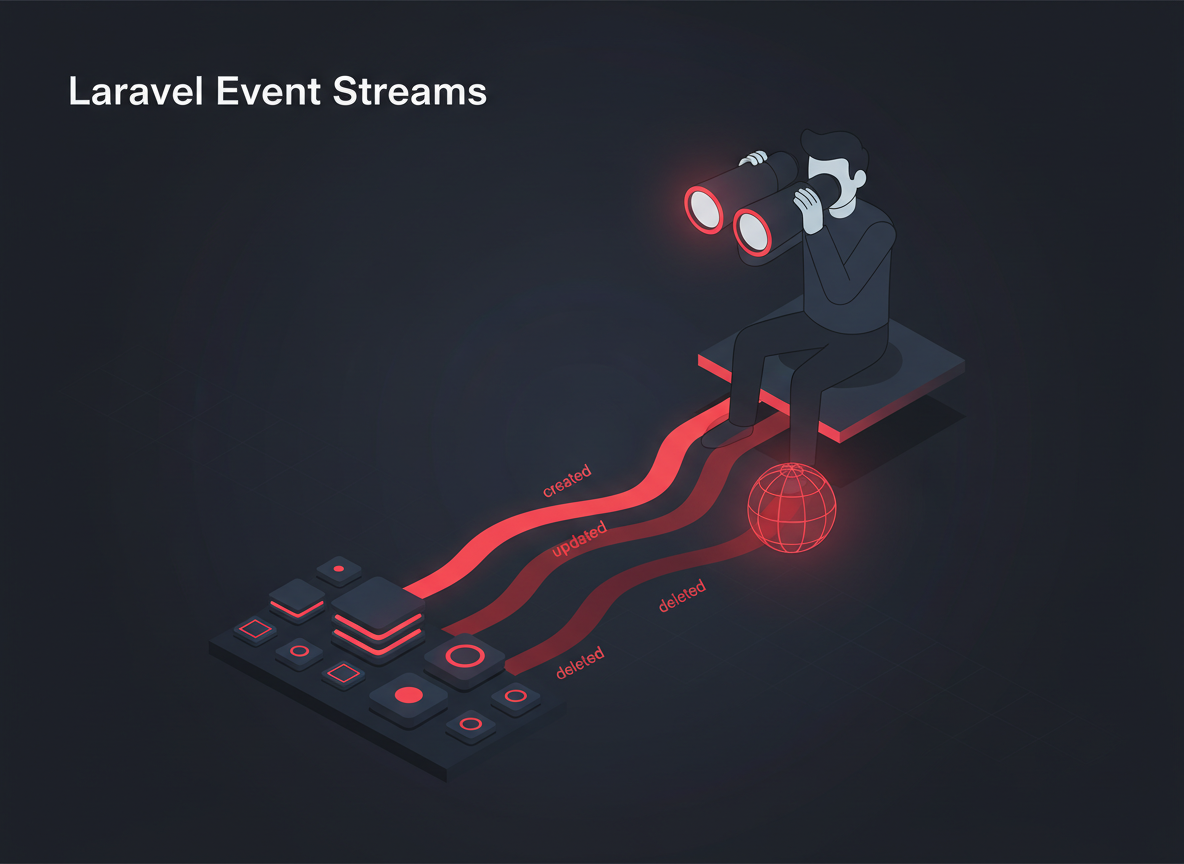
Laravel Model Observers are dedicated classes that listen to Eloquent model events such as creating, created, updating, updated, deleting, and deleted. Instead of cluttering your models with event handling logic, observers provide a clean separation of concerns by moving this functionality into specialised classes.
When a model event occurs—such as saving a user record or deleting a product—the observer automatically executes the corresponding method. This approach is particularly valuable for applications requiring audit trails, automated notifications, or complex business workflows triggered by database changes.
Observer Events You Can Handle
- retrieved: After a model is retrieved from the database
- creating: Before a new model is saved to the database
- created: After a new model is saved to the database
- updating: Before an existing model is updated
- updated: After an existing model is updated
- saving: Before a model is saved (both create and update)
- saved: After a model is saved (both create and update)
- deleting: Before a model is deleted
- deleted: After a model is deleted
- restoring: Before a soft-deleted model is restored
- restored: After a soft-deleted model is restored
Creating Your First Laravel Observer
Laravel provides an Artisan command to generate observer classes quickly. This ensures your observers follow Laravel conventions and include all necessary boilerplate code.
Generate an Observer Class
php artisan make:observer UserObserver --model=UserThis command creates a new observer class in app/Observers/UserObserver.php with method stubs for common model events:
<?php

namespace AppObservers;

use AppModelsUser;

class UserObserver
{
    public function created(User $user)
    {
        // Handle the User "created" event.
    }

    public function updated(User $user)
    {
        // Handle the User "updated" event.
    }

    public function deleted(User $user)
    {
        // Handle the User "deleted" event.
    }

    public function restored(User $user)
    {
        // Handle the User "restored" event.
    }

    public function forceDeleted(User $user)
    {
        // Handle the User "force deleted" event.
    }
}
Register Your Observer
After creating your observer, register it in your application’s AppServiceProvider or create a dedicated ObserverServiceProvider:
<?php

namespace AppProviders;

use AppModelsUser;
use AppObserversUserObserver;
use IlluminateSupportServiceProvider;

class AppServiceProvider extends ServiceProvider
{
    public function boot()
    {
        User::observe(UserObserver::class);
    }
}
Practical Observer Implementation Examples
Let’s explore real-world scenarios where observers provide elegant solutions to common business requirements.
Example 1: Automated Audit Logging
Many applications require comprehensive audit trails for compliance or debugging purposes. An observer can automatically log all model changes without cluttering your business logic:
<?php

namespace AppObservers;

use AppModelsUser;
use AppModelsAuditLog;
use IlluminateSupportFacadesAuth;

class UserObserver
{
    public function created(User $user)
    {
        $this->logActivity('created', $user, null, $user->toArray());
    }

    public function updated(User $user)
    {
        $this->logActivity('updated', $user, $user->getOriginal(), $user->getChanges());
    }

    public function deleted(User $user)
    {
        $this->logActivity('deleted', $user, $user->toArray(), null);
    }

    private function logActivity($action, $user, $oldValues, $newValues)
    {
        AuditLog::create([
            'user_id' => Auth::id(),
            'model_type' => get_class($user),
            'model_id' => $user->id,
            'action' => $action,
            'old_values' => $oldValues,
            'new_values' => $newValues,
            'ip_address' => request()->ip(),
            'user_agent' => request()->userAgent(),
        ]);
    }
}
Example 2: Automated Email Notifications
E-commerce applications often need to send notifications when orders change status. An observer ensures notifications are sent consistently:
<?php

namespace AppObservers;

use AppModelsOrder;
use AppNotificationsOrderStatusChanged;
use IlluminateSupportFacadesNotification;

class OrderObserver
{
    public function updated(Order $order)
    {
        if ($order->wasChanged('status')) {
            $oldStatus = $order->getOriginal('status');
            $newStatus = $order->status;

            // Send notification to customer
            $order->customer->notify(
                new OrderStatusChanged($order, $oldStatus, $newStatus)
            );

            // Notify admin for specific status changes
            if (in_array($newStatus, ['cancelled', 'refunded'])) {
                Notification::route('mail', config('app.admin_email'))
                    ->notify(new OrderStatusChanged($order, $oldStatus, $newStatus));
            }
        }
    }
}
Example 3: Cache Management
Observers excel at maintaining cache consistency by automatically invalidating related cache entries when models change:
<?php

namespace AppObservers;

use AppModelsProduct;
use IlluminateSupportFacadesCache;

class ProductObserver
{
    public function saved(Product $product)
    {
        // Clear individual product cache
        Cache::forget("product.{$product->id}");

        // Clear category-based caches
        Cache::forget("products.category.{$product->category_id}");

        // Clear featured products if this product is featured
        if ($product->is_featured) {
            Cache::forget('products.featured');
        }
    }

    public function deleted(Product $product)
    {
        Cache::forget("product.{$product->id}");
        Cache::forget("products.category.{$product->category_id}");
        Cache::forget('products.featured');
    }
}
Model Boot Methods vs Observers: When to Use Each
Laravel offers multiple approaches for handling model events. Understanding when to use observers versus model boot methods helps you choose the right tool for each situation.
Model Boot Methods
Model boot methods define event handlers directly within your Eloquent models. This approach works well for simple, model-specific logic:
<?php

namespace AppModels;

use IlluminateDatabaseEloquentModel;
use IlluminateSupportStr;

class Post extends Model
{
    protected static function boot()
    {
        parent::boot();

        static::creating(function ($post) {
            $post->slug = Str::slug($post->title);
            $post->reading_time = $this->calculateReadingTime($post->content);
        });
    }

    private function calculateReadingTime($content)
    {
        $wordCount = str_word_count(strip_tags($content));
        return ceil($wordCount / 200); // Assume 200 words per minute
    }
}
When to Use Model Boot Methods
- Simple transformations: Setting slugs, calculating fields, or formatting data
- Model-specific logic: Behaviour that belongs exclusively to that model
- Quick implementations: When you need a fast solution without creating separate files
When to Use Observers
- Complex business logic: Multi-step processes or external service integration
- Cross-cutting concerns: Logging, notifications, or cache management
- Testing requirements: When you need to mock or disable event handling
- Team development: When multiple developers work on the same models
- Separation of concerns: Keeping models focused on data representation
Use model boot methods for simple, model-centric logic. Choose observers for complex business rules, external integrations, or when you need better testability and separation of concerns.
Advanced Observer Techniques
Laravel observers support advanced patterns that handle complex business scenarios elegantly.
Conditional Observer Logic
Sometimes you need observers to act only under specific conditions. Laravel makes this straightforward:
<?php

namespace AppObservers;

use AppModelsUser;
use AppServicesAnalyticsService;

class UserObserver
{
    public function __construct(private AnalyticsService $analytics) {}

    public function updated(User $user)
    {
        // Only track changes to specific fields
        if ($user->wasChanged(['email', 'phone', 'address'])) {
            $this->analytics->trackContactInfoUpdate($user);
        }

        // Handle role changes differently
        if ($user->wasChanged('role')) {
            $this->handleRoleChange($user);
        }
    }

    private function handleRoleChange(User $user)
    {
        $oldRole = $user->getOriginal('role');
        $newRole = $user->role;

        // Custom logic based on role transition
        match ([$oldRole, $newRole]) {
            ['user', 'admin'] => $this->grantAdminPermissions($user),
            ['admin', 'user'] => $this->revokeAdminPermissions($user),
            default => null,
        };
    }
}
Preventing Infinite Loops
When observers modify the same model they’re observing, you risk infinite loops. Laravel provides the withoutEvents() method to prevent this:
public function created(User $user)
{
    // This would cause an infinite loop
    // $user->update(['last_login' => now()]);

    // This prevents the observer from firing again
    $user->withoutEvents(function () use ($user) {
        $user->update(['created_at_formatted' => $user->created_at->format('Y-m-d')]);
    });
}
Dependency Injection in Observers
Laravel’s service container automatically resolves observer dependencies, enabling clean integration with services:
<?php

namespace AppObservers;

use AppModelsOrder;
use AppServicesInventoryService;
use AppServicesEmailService;
use IlluminateSupportFacadesLog;

class OrderObserver
{
    public function __construct(
        private InventoryService $inventory,
        private EmailService $email
    ) {}

    public function created(Order $order)
    {
        try {
            // Reserve inventory
            $this->inventory->reserveItems($order->items);

            // Send confirmation email
            $this->email->sendOrderConfirmation($order);

        } catch (Exception $e) {
            Log::error('Order processing failed', [
                'order_id' => $order->id,
                'error' => $e->getMessage()
            ]);
            throw $e;
        }
    }
}
Observer Best Practices
Following these best practices ensures your observers remain maintainable and performant as your application grows.
Keep Observers Focused
Each observer should handle a single model and related concerns. If your observer becomes too large, consider splitting it:
// Good: Focused observer
class UserObserver
{
    public function created(User $user) { /* user-specific logic */ }
}

class UserNotificationObserver
{
    public function created(User $user) { /* notification logic */ }
}

// Register multiple observers for the same model
User::observe([UserObserver::class, UserNotificationObserver::class]);
Handle Exceptions Gracefully
Observer failures shouldn’t crash your application. Implement proper error handling:
public function created(User $user)
{
    try {
        $this->sendWelcomeEmail($user);
    } catch (Exception $e) {
        // Log the error but don't prevent user creation
        Log::error('Welcome email failed', [
            'user_id' => $user->id,
            'error' => $e->getMessage()
        ]);

        // Optionally queue for retry
        SendWelcomeEmailJob::dispatch($user)->delay(now()->addMinutes(5));
    }
}
Consider Performance Implications
Observers execute synchronously during database operations. For expensive operations, consider queuing:
public function created(User $user)
{
    // Quick operations are fine in observers
    $user->profile()->create(['last_login' => now()]);

    // Expensive operations should be queued
    ProcessNewUserJob::dispatch($user);
    GenerateUserReportJob::dispatch($user)->delay(now()->addHour());
}
Testing Laravel Observers
Proper testing ensures your observers work correctly and don’t break when you refactor your code.
Testing Observer Functionality
<?php

namespace TestsUnitObservers;

use AppModelsUser;
use AppModelsAuditLog;
use AppObserversUserObserver;
use TestsTestCase;
use IlluminateFoundationTestingRefreshDatabase;

class UserObserverTest extends TestCase
{
    use RefreshDatabase;

    public function test_audit_log_created_when_user_created()
    {
        $user = User::factory()->create();

        $this->assertDatabaseHas('audit_logs', [
            'model_type' => User::class,
            'model_id' => $user->id,
            'action' => 'created'
        ]);
    }

    public function test_observer_can_be_disabled()
    {
        User::withoutEvents(function () {
            $user = User::factory()->create();

            $this->assertDatabaseMissing('audit_logs', [
                'model_id' => $user->id
            ]);
        });
    }
}
Common Observer Pitfalls and Solutions
Avoid these common mistakes when implementing Laravel Model Observers.
Forgetting to Register Observers
The most common issue is creating observers but forgetting to register them. Always verify registration in your service provider and consider using automated testing to catch this.
Observer Order Dependencies
When multiple observers listen to the same model, execution order can matter. Laravel executes observers in registration order, but it’s better to make observers independent when possible.
Database Transaction Considerations
Observers execute within the same database transaction as the model operation. External API calls or file operations in observers can cause issues if the transaction rolls back:
public function created(User $user)
{
    // This API call happens even if the transaction rolls back
    // $this->apiService->createCustomer($user);

    // Better: Use database transactions or queue the API call
    DB::afterCommit(function () use ($user) {
        $this->apiService->createCustomer($user);
    });
}
When Professional Laravel Development Help Makes Sense
While Laravel Model Observers are powerful tools, complex business applications often require sophisticated event handling architectures. If you’re building mission-critical systems with intricate business rules, or if your team lacks Laravel expertise, professional development ensures your observer implementations are robust, scalable, and maintainable.
At Acentrix, we specialise in building enterprise Laravel applications with sophisticated event handling and business logic architectures. Our team can help you design observer patterns that scale with your business requirements while maintaining code quality and performance standards.
Conclusion
Laravel Model Observers provide an elegant solution for handling database events while maintaining clean, organised code. They excel at cross-cutting concerns like logging, notifications, and cache management, offering better separation of concerns than model boot methods for complex scenarios.
Start with simple observers for audit logging or basic notifications, then gradually incorporate advanced techniques like conditional logic and dependency injection as your application’s complexity grows. Remember to handle exceptions gracefully, consider performance implications, and thoroughly test your observer implementations.
Whether you’re building a small business application or an enterprise-level system, Laravel Model Observers help you create maintainable, event-driven architectures that adapt to changing business requirements. Begin implementing observers in your next Laravel project—your future self will appreciate the cleaner, more organised codebase.